



Top10.com
top10.com
Aug 24, 2026

Top 10 VPN Providers 2026
See the 2026 Picks. Compare Features Side by Side.
Explore cybersecurity ads running on ChatGPT. Discover companies promoting security tools, threat detection, and data protection.
See the 2026 Picks. Compare Features Side by Side.


Mask your identity, block spam, and keep your real info off the internet with Cloaked.


Deliver the report fast. 720+ teams.


We win in AI Agent Governance. Most security tools watch AI agents. We flag gaps in real time.


Domains, Websites, Email, Hosting, Security & More. Everything You Need To Succeed Online.


Discover, govern, and control AI agents with identity-first security built for enterprise AI.
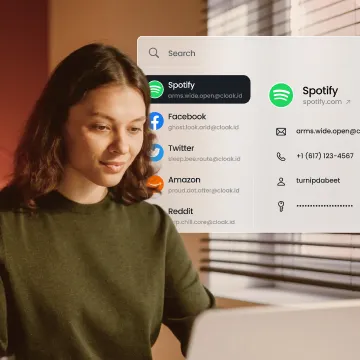
Cloaked masks your identity across every signup so breaches never reach your real information.
Protect AI agents with continuous discovery, governance, and runtime authorization.


Review vendors in minutes, not weeks, with AI-powered risk assessments.


Gain visibility into AI systems and close security gaps as new risks emerge. Get the latest guide

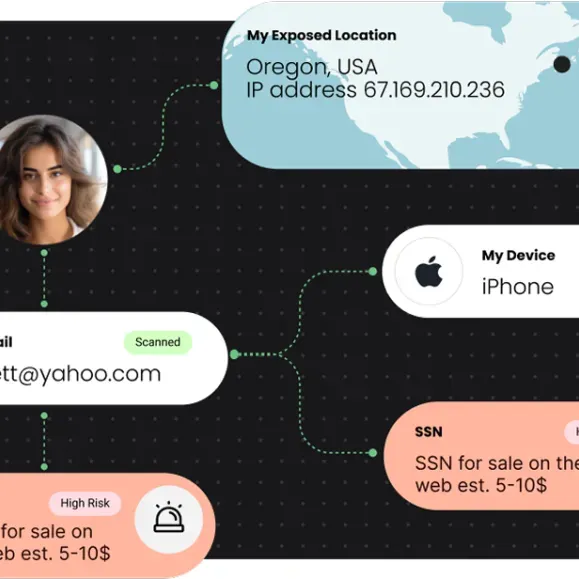
See where your data leaked and easy steps to remove it.


Enter a hands-on agentic AI challenge built for enterprise security teams.

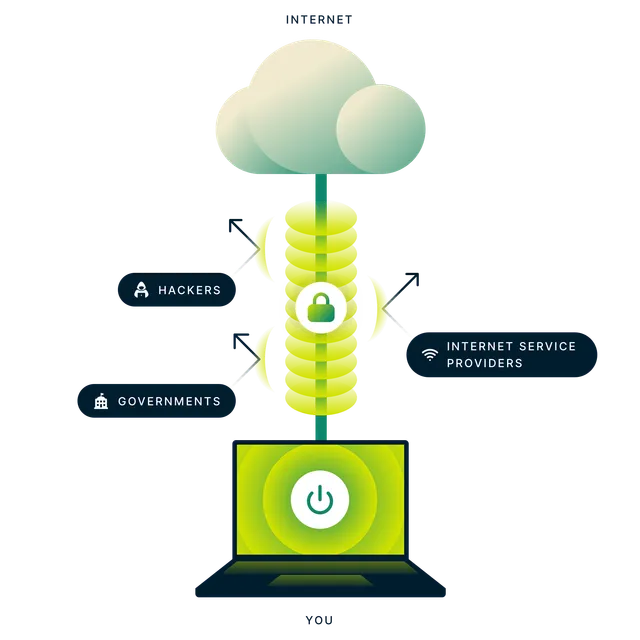
#1 VPN Server For Any Device. Top VPN for Real Privacy


An easy-to-use VPN that won’t slow you down.


SOC 2 Type 1 & Type 2 Available Today. No Manual Work. No Vendor Chaos. Book A Demo!
Domains, Websites, Email, Hosting, Security & More. Everything You Need To Succeed Online.


Bright DAST proves exploitability before you triage. Spend time fixing real risk, not chasing noise.


Discover PCI Solutions Fit to Your Needs.

Advance protection to defend against cyber threats and data loss.

Buying Guide for Smart Displays Smart displays have become increasingly popular as multifunctional devices that can serve as a central hub for home automation, communication, entertainment, and more. When considering purchasing a smart display, there are several key factors to take into account. This buying guide will help you navigate through the various features and options available. What to Consider Before Buying Purpose of Use The first step in choosing a smart display is to determine its primary purpose. Consider how you plan to use the device: - Home Automation Control: If you want to manage smart home devices like lights, thermostats, or security cameras, look for a display that integrates seamlessly with your existing setup. - Communication: If video calls and messaging are important to you, ensure the device has a decent camera and microphone. - Entertainment: For multimedia consumption, check the display quality, sound output, and app availability. Screen Size Smart displays come in various screen sizes. Common sizes range from 7 inches to over 10 inches. Here’s what to think about: - Space Requirements: Measure the space where you intend to place the device. Smaller screens can fit in tight spaces, while larger screens may serve better in open areas. - Viewing Distance: If the display will be viewed from a distance (like in a kitchen), a larger screen will enhance visibility and usability. Display Quality The quality of the screen is crucial for user experience. Look for: - Resolution: Higher resolution screens (such as HD or 4K) provide sharper images, especially if you plan to watch videos or view images. - Brightness and Color Accuracy: A display with good brightness levels and color accuracy will enhance visibility in various lighting conditions. Audio Features Good audio quality is important for music, video calls, and notifications. Consider the following: - Speaker Quality: Look for integrated speakers that have good bass and overall sound quality. - Microphone Performance: Ensure the device has multiple microphones for better voice recognition and clearer audio during calls. Smart Assistant Compatibility Most smart displays come with built-in voice assistants. Think about: - Ecosystem Compatibility: If you already use a particular smart assistant for home automation or other tasks, choose a device that works within that ecosystem. - Voice Recognition Capabilities: Some voice assistants have advanced features and improved recognition capabilities, making them more user-friendly. Connectivity Options Check the connectivity features that the smart display offers: - Wi-Fi and Bluetooth: Ensure the device supports modern Wi-Fi standards for fast streaming and connectivity. - Ports: Some displays include ports for external devices or accessories, which can be a useful feature. Application and Services Explore the range of applications and services supported by the smart display. Important ones to consider include: - Streaming Services: Ensure the device has access to the services you intend to use for music or video streaming. - Voice Assistant Features: Many smart assistants offer additional capabilities through third-party applications; check for availability. Privacy Features In today's digital age, privacy is a major concern. Look for: - Camera Covers: Some smart displays come with built-in camera covers for added privacy. - Mute Switches: A physical mute switch for the microphone can provide peace of mind when the device is not in use. Price and Warranty Finally, consider your budget: - Price Range: Smart displays come in a variety of price ranges. Identify your budget and prioritize features that are most important to you. - Warranty and Support: Look for devices that offer a warranty for added protection and reliable customer support. Summary of Considerations When buying a smart display, contemplate the following factors: 1. Purpose of Use : Determine how you will use the device. 2. Screen Size : Choose a size that fits your space. 3. Display Quality : Look for high resolution and brightness. 4. Audio Features : Prioritize speaker quality and microphone performance. 5. Smart Assistant Compatibility : Ensure it works with your existing ecosystem. 6. Connectivity Options : Check for Wi-Fi, Bluetooth, and ports. 7. Applications and Services : Ensure it supports your streaming needs. 8. Privacy Features : Consider camera covers and mute switches. 9. Price and Warranty : Find a device within your budget that offers protection. By taking the time to evaluate these key factors, you can find the right smart display that fits your lifestyle and enhances your home experience.

Guide to No-Ad Products: Embracing the Ad-Free Experience In the digital age, advertisements are ubiquitous, often overwhelming the online experience. While many appreciate the content that ads help finance, a growing number of users prefer a cleaner, less distracting interface. This guide focuses on no-ad options, offering insights into the benefits and considerations, as well as tips for finding the right no-ad products for your needs. What Are No-Ad Products? No-ad products are offerings designed to eliminate advertisements, focusing instead on delivering a streamlined and distraction-free user experience. They span a wide variety of applications and services, including: - Streaming Services: Enjoy movies, TV shows, and music without interruptions from commercials. - Web Browsers: Specific tools or extensions help block ads, creating a clean browsing experience. - Mobile Apps: Some applications provide a paid option that removes ads entirely. - Digital Publications: Many magazines and journals offer ad-free subscriptions. Benefits of Using No-Ad Products Choosing no-ad products can enhance your online experience in various ways: 1. Improved Focus: Without the distraction of ads, users can concentrate better on the content that matters. This is particularly beneficial for students, professionals, and anyone engaged in tasks requiring deep focus. 2. Faster Loading Times: Ads can significantly increase loading times. No-ad products often result in quicker access to your desired content or services. 3. Reduced Data Usage: Ads consume bandwidth, which can be a concern for users on limited data plans. Using no-ad options can help save data by limiting the amount of content loaded. 4. Enhanced Security: Ad blockers can prevent potentially harmful ads and reduce exposure to malware and phishing attempts that often accompany advertisements. 5. Positive User Experience: Many users report a more enjoyable and satisfying online experience when ads do not interrupt their activities. Considerations When Choosing No-Ad Products While the advantages are clear, there are certain factors to keep in mind: Subscription Costs Many no-ad products come at a premium. Consider the balance between cost and the enhanced experience. Determine whether the investment aligns with your budget and usage habits. Restricted Content Some services may limit access to specific content unless you opt for their ad-supported versions. Before committing, ensure that the no-ad version provides the features and content you desire. Compatibility Not all no-ad options work seamlessly with every device or platform. Verify compatibility with your preferred devices, whether it’s desktop, mobile, or smart TVs. Support and Updates Regular updates and customer support are crucial for maintaining a smooth experience. Choose products from providers known for their reliability and responsiveness. Tips for Finding and Utilizing No-Ad Products Research and Reviews Before committing to any no-ad service, conduct thorough research. Look for reviews and comparisons to understand the user experience better. Consider visiting technology forums or websites that focus on product comparisons to see what others are saying. Trial Periods Many no-ad products offer free trials or introductory periods. Take advantage of these offers to evaluate the service. This approach allows you to gauge its effectiveness and whether it meets your needs before making a financial commitment. Use Multiple Tools Consider employing a combination of no-ad options in your daily digital routine. For example, you might use an ad-blocking extension alongside a no-ad streaming service, enhancing your overall experience. Customize Settings Most no-ad products come with customizable settings. Take the time to adjust these settings according to your preferences, ensuring an experience tailored to your needs. Stay Informed The landscape of digital advertising is constantly evolving. Keep yourself informed about new no-ad options and updates to existing services. Stay connected with tech blogs, social media discussions, and newsletters to remain aware of new solutions that may enhance your experience. Conclusion Ad-free experiences in the digital world offer numerous benefits, from improved focus and faster loading times to enhanced security. However, it’s essential to weigh the associated costs and potential content restrictions. By conducting thorough research, utilizing trial periods, and making informed choices, you can fully embrace an ad-free lifestyle that enhances your online experiences. Whether you’re watching your favorite series, reading a novel, or browsing the web, no-ad products can significantly improve your interaction with digital content. Embrace the tranquility that comes with a cleaner, ad-free experience!
Cloaked gives you a private identity layer so your real info stays yours - not the internet's.


450 SOC leaders on the real state of AI in the SOC in 2026.


Fast-track SOC 2 compliance. Simple software, quick setup, and results you can trust.