






Personal Finance ChatGPT Ads

Explore personal finance ads running on ChatGPT. Discover companies promoting budgeting tools, savings, and personal financial planning.

125 Ads in Category
68 Advertisers

Personal Finance Ads — Page 3

Showing 24 of 125 ads

Top 5 Best engaged banner

Buying Guide for Engaged Banners Engaged banners play a crucial role in modern digital marketing strategies, serving to attract attention and enhance user interaction on websites and applications. Whether you are designing an engaged banner for a promotional offer, an event, or to drive traffic to specific content, knowing what to consider during the buying process is essential. This guide will walk you through key factors to consider, types of engaged banners, and best practices for implementation. Understanding Engaged Banners Engaged banners are interactive advertisements typically displayed on websites, apps, or social media platforms. These banners can be animated, clickable, or employ other engaging elements to capture user attention and encourage interaction. Unlike static banners, engaged banners aim to convert viewers into visitors, customers, or leads through persuasive messaging and visual appeal. What to Consider When Buying Engaged Banners 1. Purpose and Goals - Identify Your Objectives: Establish what you want to achieve with your engaged banner. Is it brand awareness, click-through traffic, sales, or sign-ups? - Target Audience: Know who you are trying to reach and tailor the banner's message and design to meet their preferences and behaviors. 2. Design Elements - Visual Appeal: Choose eye-catching colors, fonts, and images that align with your branding. - Size and Placement: Select a size that fits well with your website design and is visible without being intrusive. - Animation and Interactivity: Consider adding movement or interactivity to draw attention, but ensure it doesn’t distract from the core message. 3. Messaging - Clear and Concise Statements: Use short, compelling text that conveys your message quickly. Focus on benefits, not just features. - Call to Action (CTA): Include a strong CTA encouraging users to take the desired action. Utilize phrases like “Shop Now,” “Learn More,” or “Sign Up Today.” 4. Compatibility and Responsiveness - Cross-Device Compatibility: Ensure the banner displays well on various devices, including desktops, tablets, and smartphones. - Responsive Design: The banner should adapt to different screen sizes and resolutions without losing quality or message clarity. 5. Performance Tracking - Analytics: Choose an option that allows you to track engagement metrics like impressions, clicks, and conversions. - A/B Testing: Consider investing in banners that facilitate A/B testing so you can optimize campaigns based on performance data. 6. Budget Considerations - Cost-Effectiveness: Weigh the cost of production against potential returns. Cheaper options may lack quality, while premium banners often yield better engagement. - Long-Term Investment: Think about the longevity of the banner. Investing in quality designs that can be used in multiple campaigns can save money over time. Types of Engaged Banners Static Banners - Simple and straightforward, static banners display a single image or message without any animation. Ideal for minimalistic campaigns. Animated Banners - These use animations to attract attention and convey messages in a dynamic way. They can feature transitions, slides, or interactive elements. Video Banners - Incorporating video content can be an effective way to engage users. Video banners can provide a more immersive experience. Interactive Banners - Banners that allow users to interact—like quizzes, games, or forms—tend to generate higher engagement rates by encouraging participation. Best Practices for Implementation 1. Optimize Loading Times - Ensure that your engaged banners are optimized for quick loading to prevent users from leaving your site out of frustration. 2. Consider User Experience - Position your banners strategically to capture attention without obstructing the user experience. Avoid banners that automatically pop up or diminish usability. 3. Regularly Update Content - Keep your banners fresh and relevant by rotating them frequently to reflect current offerings or seasonal promotions. 4. Ensure Accessibility - Design banners that are accessible to individuals with disabilities. Use alt text for images and make text legible with sufficient contrast against backgrounds. 5. Compliance with Regulations - Familiarize yourself with advertising regulations in your region or industry, ensuring that your banners comply to avoid any legal complications. Conclusion Investing in engaged banners can significantly enhance your digital marketing efforts. By considering your goals, design elements, messaging, compatibility, performance tracking, and budget, you can choose banners that not only attract attention but also foster genuine interaction with your audience. As you implement your engaged banners, keep best practices in mind to ensure they serve their intended purpose effectively. With the right approach, engaged banners can create a powerful connection between your brand and its potential customers, driving conversions and achieving your
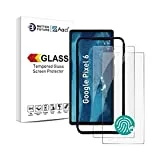
Top 5 Best google screen

Buying Guide for Smart Displays Smart displays have become increasingly popular as multifunctional devices that can serve as a central hub for home automation, communication, entertainment, and more. When considering purchasing a smart display, there are several key factors to take into account. This buying guide will help you navigate through the various features and options available. What to Consider Before Buying Purpose of Use The first step in choosing a smart display is to determine its primary purpose. Consider how you plan to use the device: - Home Automation Control: If you want to manage smart home devices like lights, thermostats, or security cameras, look for a display that integrates seamlessly with your existing setup. - Communication: If video calls and messaging are important to you, ensure the device has a decent camera and microphone. - Entertainment: For multimedia consumption, check the display quality, sound output, and app availability. Screen Size Smart displays come in various screen sizes. Common sizes range from 7 inches to over 10 inches. Here’s what to think about: - Space Requirements: Measure the space where you intend to place the device. Smaller screens can fit in tight spaces, while larger screens may serve better in open areas. - Viewing Distance: If the display will be viewed from a distance (like in a kitchen), a larger screen will enhance visibility and usability. Display Quality The quality of the screen is crucial for user experience. Look for: - Resolution: Higher resolution screens (such as HD or 4K) provide sharper images, especially if you plan to watch videos or view images. - Brightness and Color Accuracy: A display with good brightness levels and color accuracy will enhance visibility in various lighting conditions. Audio Features Good audio quality is important for music, video calls, and notifications. Consider the following: - Speaker Quality: Look for integrated speakers that have good bass and overall sound quality. - Microphone Performance: Ensure the device has multiple microphones for better voice recognition and clearer audio during calls. Smart Assistant Compatibility Most smart displays come with built-in voice assistants. Think about: - Ecosystem Compatibility: If you already use a particular smart assistant for home automation or other tasks, choose a device that works within that ecosystem. - Voice Recognition Capabilities: Some voice assistants have advanced features and improved recognition capabilities, making them more user-friendly. Connectivity Options Check the connectivity features that the smart display offers: - Wi-Fi and Bluetooth: Ensure the device supports modern Wi-Fi standards for fast streaming and connectivity. - Ports: Some displays include ports for external devices or accessories, which can be a useful feature. Application and Services Explore the range of applications and services supported by the smart display. Important ones to consider include: - Streaming Services: Ensure the device has access to the services you intend to use for music or video streaming. - Voice Assistant Features: Many smart assistants offer additional capabilities through third-party applications; check for availability. Privacy Features In today's digital age, privacy is a major concern. Look for: - Camera Covers: Some smart displays come with built-in camera covers for added privacy. - Mute Switches: A physical mute switch for the microphone can provide peace of mind when the device is not in use. Price and Warranty Finally, consider your budget: - Price Range: Smart displays come in a variety of price ranges. Identify your budget and prioritize features that are most important to you. - Warranty and Support: Look for devices that offer a warranty for added protection and reliable customer support. Summary of Considerations When buying a smart display, contemplate the following factors: 1. Purpose of Use : Determine how you will use the device. 2. Screen Size : Choose a size that fits your space. 3. Display Quality : Look for high resolution and brightness. 4. Audio Features : Prioritize speaker quality and microphone performance. 5. Smart Assistant Compatibility : Ensure it works with your existing ecosystem. 6. Connectivity Options : Check for Wi-Fi, Bluetooth, and ports. 7. Applications and Services : Ensure it supports your streaming needs. 8. Privacy Features : Consider camera covers and mute switches. 9. Price and Warranty : Find a device within your budget that offers protection. By taking the time to evaluate these key factors, you can find the right smart display that fits your lifestyle and enhances your home experience.

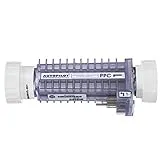
Top 5 Best autopilot ppc1

Buying Guide for Autopilot PPC1 When it comes to managing and optimizing pay-per-click (PPC) campaigns, an effective autopilot PPC1 tool can be a game-changer for marketers. These tools automate the management process, allowing for better optimization, time-saving, and improved campaign performance. This buying guide will walk you through the essential factors to consider when choosing the right autopilot PPC1 solution. Understanding Autopilot PPC1 An autopilot PPC1 tool automates aspects of PPC campaign management, such as bidding, keyword management, ad placement, and reporting. The goal of using such tools is to enhance efficiency and enable marketers to focus on strategic aspects of their campaigns rather than the day-to-day management tasks. Key Features to Consider When evaluating autopilot PPC1 solutions, keep these essential features in mind: Automation Capabilities - Bidding Strategies : Look for tools that support various bidding strategies, including manual, automatic, and dynamic bidding. An effective autopilot tool should be able to adjust bids in real time based on performance data. - Rule-Based Automation : Choose a tool that allows you to set rules for budget allocation, bidding, and ad scheduling. This feature enables the tool to make real-time adjustments based on predefined parameters. Analytics and Reporting - Performance Tracking : The tool should provide comprehensive metrics on ad performance, including CTR (click-through rate), conversion rates, and cost-per-click (CPC). - Customizable Reports : Look for capabilities that allow you to create custom reports to assess the performance of your campaigns based on different metrics and KPIs. User Interface and Experience - Ease of Use : A user-friendly interface is crucial. Ensure the tool has an intuitive design that makes it easy to navigate and perform tasks without extensive training. - Integration Options : Check for the ability to integrate with your existing analytics platforms, social media channels, and other marketing tools. This integration can streamline your workflow and improve data accuracy. Support and Resources - Customer Support : Consider the availability and quality of customer support. A responsive support team can help you resolve issues efficiently and enhance your experience with the tool. - Educational Resources : Look for a resource library, including tutorials, webinars, and case studies, which can help you maximize the use of the tool and improve your PPC campaign strategies. Budget Considerations Assessing the pricing structure of the autopilot PPC1 tool is essential for your decision-making process: Pricing Models - Subscription-Based : Most tools offer monthly or annual subscriptions. Assess what plans are available and which best aligns with your budget and needs. - Free Trials : Many solutions offer free trials. Take advantage of these trials to test the tool's effectiveness and see if it fits your requirements before committing. Return on Investment - Cost-Effectiveness : Consider how the tool can save time and improve your campaigns. Evaluate whether the increased performance justifies the cost of the tool. - Performance Metrics : Look for case studies or testimonials from other users to understand the potential ROI. Assess whether the features offered will lead to an increase in conversions or lead generation. Compatibility and Scalability Platform Compatibility Ensure the autopilot PPC1 solution is compatible with the platforms you intend to use, whether Google Ads, Bing Ads, or social media platforms like Facebook. This compatibility is essential for seamless campaign management. Scalability Consider whether the tool can grow with your business. As your PPC campaigns expand, you need a solution that can handle increased data and complexity without a hiccup. Implementation Setup and Configuration Investigate the time and effort required to set up the tool. A tool that offers guided setup or onboarding support can make this process significantly easier. Adjustments and Customizations Look for tools that allow for customization in terms of rules, dashboards, and reporting. This flexibility can help tailor the solutions to meet your specific needs and enhance performance. Conclusion Choosing the right autopilot PPC1 tool requires thoughtful consideration of your business's specific needs, goals, and budget. By carefully evaluating the features, support, costs, and scalability of different options, you can select a solution that automates your PPC management effectively while driving higher performance in your ad campaigns. Take the time to research and test several tools to find the one that best fits your marketing strategy, and you're sure to reap the rewards in improved campaign efficiency and results.

Top 5 Best no-ad

Guide to No-Ad Products: Embracing the Ad-Free Experience In the digital age, advertisements are ubiquitous, often overwhelming the online experience. While many appreciate the content that ads help finance, a growing number of users prefer a cleaner, less distracting interface. This guide focuses on no-ad options, offering insights into the benefits and considerations, as well as tips for finding the right no-ad products for your needs. What Are No-Ad Products? No-ad products are offerings designed to eliminate advertisements, focusing instead on delivering a streamlined and distraction-free user experience. They span a wide variety of applications and services, including: - Streaming Services: Enjoy movies, TV shows, and music without interruptions from commercials. - Web Browsers: Specific tools or extensions help block ads, creating a clean browsing experience. - Mobile Apps: Some applications provide a paid option that removes ads entirely. - Digital Publications: Many magazines and journals offer ad-free subscriptions. Benefits of Using No-Ad Products Choosing no-ad products can enhance your online experience in various ways: 1. Improved Focus: Without the distraction of ads, users can concentrate better on the content that matters. This is particularly beneficial for students, professionals, and anyone engaged in tasks requiring deep focus. 2. Faster Loading Times: Ads can significantly increase loading times. No-ad products often result in quicker access to your desired content or services. 3. Reduced Data Usage: Ads consume bandwidth, which can be a concern for users on limited data plans. Using no-ad options can help save data by limiting the amount of content loaded. 4. Enhanced Security: Ad blockers can prevent potentially harmful ads and reduce exposure to malware and phishing attempts that often accompany advertisements. 5. Positive User Experience: Many users report a more enjoyable and satisfying online experience when ads do not interrupt their activities. Considerations When Choosing No-Ad Products While the advantages are clear, there are certain factors to keep in mind: Subscription Costs Many no-ad products come at a premium. Consider the balance between cost and the enhanced experience. Determine whether the investment aligns with your budget and usage habits. Restricted Content Some services may limit access to specific content unless you opt for their ad-supported versions. Before committing, ensure that the no-ad version provides the features and content you desire. Compatibility Not all no-ad options work seamlessly with every device or platform. Verify compatibility with your preferred devices, whether it’s desktop, mobile, or smart TVs. Support and Updates Regular updates and customer support are crucial for maintaining a smooth experience. Choose products from providers known for their reliability and responsiveness. Tips for Finding and Utilizing No-Ad Products Research and Reviews Before committing to any no-ad service, conduct thorough research. Look for reviews and comparisons to understand the user experience better. Consider visiting technology forums or websites that focus on product comparisons to see what others are saying. Trial Periods Many no-ad products offer free trials or introductory periods. Take advantage of these offers to evaluate the service. This approach allows you to gauge its effectiveness and whether it meets your needs before making a financial commitment. Use Multiple Tools Consider employing a combination of no-ad options in your daily digital routine. For example, you might use an ad-blocking extension alongside a no-ad streaming service, enhancing your overall experience. Customize Settings Most no-ad products come with customizable settings. Take the time to adjust these settings according to your preferences, ensuring an experience tailored to your needs. Stay Informed The landscape of digital advertising is constantly evolving. Keep yourself informed about new no-ad options and updates to existing services. Stay connected with tech blogs, social media discussions, and newsletters to remain aware of new solutions that may enhance your experience. Conclusion Ad-free experiences in the digital world offer numerous benefits, from improved focus and faster loading times to enhanced security. However, it’s essential to weigh the associated costs and potential content restrictions. By conducting thorough research, utilizing trial periods, and making informed choices, you can fully embrace an ad-free lifestyle that enhances your online experiences. Whether you’re watching your favorite series, reading a novel, or browsing the web, no-ad products can significantly improve your interaction with digital content. Embrace the tranquility that comes with a cleaner, ad-free experience!


Top 5 Best playstation consoles for sale

A Comprehensive Guide to Finding PlayStation Consoles for Sale Finding a new gaming console can be an exciting yet daunting task, especially if you're looking for the latest gaming experiences. PlayStation consoles have carved out a legendary status in the gaming community, and understanding what to consider when shopping can ensure you make an informed buying decision. This guide will provide you with key considerations and tips for finding PlayStation consoles available for sale. Understanding Your Needs Before embarking on your search, it’s essential to determine your gaming preferences and how a console fits into that picture. Consider Your Gaming Style - Casual vs. Hardcore Gaming: Are you a casual gamer who plays occasionally or a hardcore gamer who invests hours each day? Your choice might differ depending on your level of engagement. - Multiplayer vs. Single Player: If you favor multiplayer experiences, ensure that the console supports online services and has a good library of multiplayer titles. - Exclusive Titles: Investigate the exclusive games available for different consoles, as these can significantly impact your gaming experience. Determine Your Budget Setting a budget is critical. PlayStation consoles can vary widely in price based on their generation, model, and availability. Consider the following: - New vs. Used: New consoles typically come at full price, while used or refurbished units can save you money. - Accessories and Games: Remember to factor in the cost of controllers, games, and any additional accessories you might need. Where to Look Adventure into the world of shopping for consoles can be done through several channels. Here are effective avenues to explore: Online Retailers - Major online retailers often have a wide selection of consoles. - Look for deals, bundles, or promotions that may include games or additional accessories. - Ensure that the seller has solid returns and warranty policies. Local Game Stores - Check out local gaming shops, which can sometimes offer competitive prices on used consoles. - You may also find the advantage of inspecting the console before purchase. Online Marketplaces - Websites for buying and selling used goods can yield excellent finds, but be cautious. - Always check seller ratings and reviews before making a purchase. - Inspect photos and product descriptions thoroughly to avoid issues. Social Media and Community Groups - Look for gaming groups or forums that often have members selling their consoles. - Networking in these communities can lead to deals and trusted sellers. Things to Consider When Buying Condition of the Console Carefully examine the state of the console before making a purchase: - New vs. Used: New consoles come in pristine condition, but second-hand ones might have wear and tear. - Functionality: Ask about the console's working condition, including any glitches or previous repairs. Warranty and Returns - Always inquire about manufacturer warranties if purchasing new. - For used consoles, ask if the seller offers any type of return policy. This could save you from purchasing a faulty product. Accessories Included A console’s value can increase based on its accessories: - Controllers, cables, and any games included should be considered as part of the deal. - Check the number of controllers and their condition—additional controllers can be an added expense. Final Steps Before Purchase Once you have identified a potential console, follow these steps to finalize your purchase: Conduct Thorough Research - Read reviews for the specific console model to ensure it meets your expectations. - Utilize gaming forums or community boards to gather insights from other gamers about their experiences. Compare Prices - Price comparisons across different platforms help ensure that you’re getting the best deal available. - Use price tracking tools or websites to see price history and trends. Make the Purchase - Once you are satisfied with your findings, proceed with the purchase. - Ensure secure payment methods are used, especially with online purchases, to protect your financial information. After the Purchase After successfully acquiring your console, here are key actions to take: Set Up and Register - Follow setup instructions carefully and consider registering your console for warranty updates. Explore Available Games - Start building your game library to maximize your new console’s potential. - Look out for seasonal sales to expand your collection at a lower cost. Conclusion By assessing your gaming needs, exploring the right places to shop, and considering crucial factors before purchasing, you can successfully find the perfect console that will elevate your gaming experience. With the right tools and knowledge, you’ll be ready to embark on countless gaming adventures ahead!



Top 5 Best cheap playstation 5 console

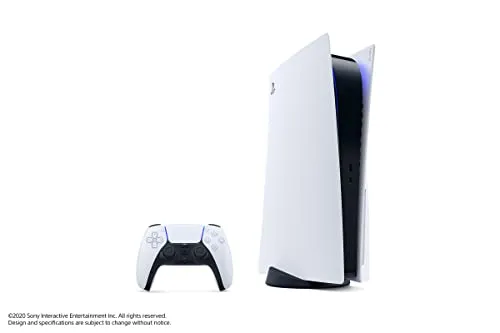
A Comprehensive Guide to Finding Affordable PlayStation 5 Consoles As the gaming community continues to grow, the demand for next-gen consoles like the PlayStation 5 (PS5) remains high. However, not everyone can afford the hefty price tags often associated with this state-of-the-art gaming machine. Luckily, there are strategies you can employ to find budget-friendly options for the PS5. Here’s a guide to help you navigate your search for an affordable console without sacrificing quality. Understanding the Value of the PS5 Before diving into how to find a cheaper PS5, it's essential to understand its value. The PS5 is renowned for its powerful hardware, which includes: - High-speed SSD : Reducing load times drastically. - Ray tracing support : Enhancing graphics to create realistic lighting effects. - Diverse game library : From blockbuster titles to indie gems. These features contribute to a gaming experience that many are eager to enjoy, which can make the console's higher price point seem worth it. However, several avenues can help you find a more affordable alternative. Where to Look for Budget-Friendly Consoles 1. Official Retailers Start by checking official retailers regularly. They often have sales, discounts, or bundles during certain times of the year. Keep an eye out for: - Holidays : Black Friday, Cyber Monday, and seasonal sales. - Bundle offers : Sometimes consoles are bundled with games or accessories at a lower price. 2. Second-Hand Market The second-hand market can be a treasure trove for affordable consoles. Websites and platforms that specialize in used items often have listings from individuals looking to sell: - Local classifieds : Look for ads in local papers or online community boards. - Gaming forums : Check out posts from gamers selling consoles. - Secondhand platforms : Websites dedicated to reselling can offer great deals. When buying used, always check the console's condition, ask for proof of working order, and ensure you can return it if necessary. 3. Trade-In Programs Many retailers offer trade-in programs, allowing you to exchange your old gaming consoles or games for credit towards a new PS5. This approach not only helps offset the cost but can make it more feasible to invest in the next-gen console. 4. Retailer Loyalty Programs Sign up for loyalty programs at major retailers. These programs often provide exclusive discounts, early access to sales, or points that you can use toward future purchases. 5. Social Media and Gaming Communities Follow social media channels and engage in gaming communities. Gamers often share tips about sales, special promotions, and even personal sales of their consoles. Platforms like Reddit, Discord, and gaming Facebook groups can be invaluable for discovering deals. Comparing Prices When you find potential options, it’s crucial to compare prices across different platforms. Use price comparison websites to track variations in price, ensuring you get the best available deal. Tips for Successful Comparison: - Check for hidden fees : Shipping or handling fees can inflate the price. - Look for warranties : Avoid units sold "as-is" without guarantees. - Factor in accessibility : Sometimes, cheaper prices come with less convenient delivery or pickup options. Looking for Refurbished Consoles Refurbished consoles can provide a middle ground between used and new units. These consoles have been inspected, repaired, and certified by a retailer, so you can be more confident in their functionality. Benefits of Buying Refurbished: - Lower cost : Often significantly cheaper than new. - Warranty : Many refurbished units come with a guarantee, offering peace of mind. - Sustainability : Opting for refurbished products contributes to reducing electronic waste. Financing Options If you're still struggling to afford a PS5 after exploring cheaper options, consider financing plans. Many retailers offer payment plans that allow you to pay for the console over time. Just ensure you understand the terms and potential interest rates, as these can vary widely. Financing Tips: - Read the fine print : Familiarize yourself with the payment schedule and any late fees. - Consider zero-interest options : Some retailers allow for interest-free financing within a promotional period. Keep an Eye on Emerging Deals As new gaming consoles are introduced, previous-gen hardware often sees price reductions. Even if it's a model older than the PS5, it might be more affordable and still deliver excellent performance. Suggested Resources to Monitor Deals: - Price tracking tools : Websites that alert you when prices drop. - Deal forums : Community-driven sites where users share the latest discounts. Conclusion Finding a cheap PlayStation 5 is certainly possible with some diligence and strategic planning. Whether it’s through checking the second-hand market, taking advantage of trade-in programs, or keeping an eye on sales, there are numerous options available. Always be patient and vigilant,

Top 5 Best ps4 consoles

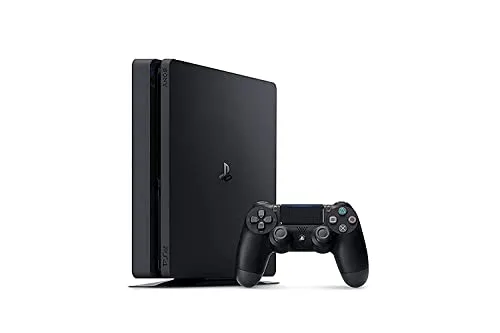
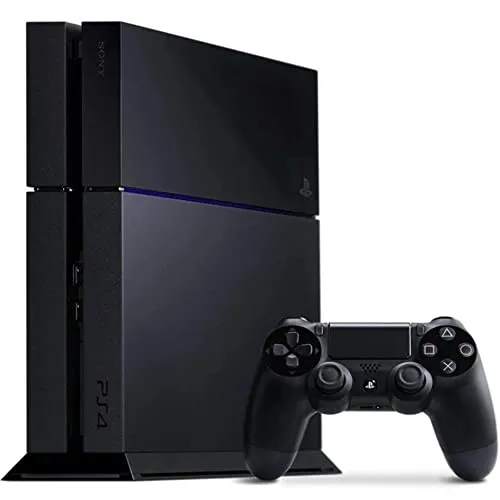
Guide to PlayStation 4 Consoles The PlayStation 4 (PS4) is a popular home video game console that has captured the hearts of gamers worldwide. Since its launch, it has stood out for its impressive hardware, extensive game library, and engaging online services. This guide will help you navigate the landscape of PS4 consoles, accessories, games, and online services. Types of Consoles The PS4 family consists of several variations, each catering to different gaming needs and preferences. Here’s a quick overview of the key types: - Standard Console : This is the original iteration of the PS4, featuring solid hardware and a vast selection of games. It is often favored for its affordability and compatibility with the extensive library of PS4 titles. - Enhanced Console : An upgraded version that boasts advanced hardware. This variant may provide enhanced graphics and performance, enabling smoother gameplay and support for higher resolutions. - Compact Console : Recognizable for its slimmer and lighter design, this version offers the same gaming experience as the standard model but is more space-efficient. It appeals to those with limited space or who prefer a more portable option. Key Features When considering a PS4 console, it's important to understand its notable features: 1. Graphics and Performance : The PS4 hardware delivers high-definition graphics and seamless performance. It supports 1080p resolution and can perform well in resource-intensive games. 2. User Interface : The console sports an intuitive user interface, making it easy for users to navigate through games, media, and settings. 3. Game Library : One of the most compelling aspects of the PS4 is its extensive game library, which includes exclusive titles as well as a broad range of third-party games across all genres. 4. Online Multiplayer : The system allows players to engage in online multiplayer games, providing a community aspect and enhanced competition. 5. Streaming Services : Integration with several streaming services allows gamers to watch movies, series, and live content directly on their console, merging gaming and entertainment. Accessories To enhance the gaming experience, consider investing in various accessories. Some valuable additions include: - Controllers : The standard gaming controller is a staple, but additional or specialized controllers can offer diverse gameplay experiences, including enhanced grip and responsiveness. - Virtual Reality Headset : Some models support a VR headset, enabling immersive gaming experiences that take advantage of virtual reality technology. - Charging Stations : Conveniently charge controllers while maintaining a tidy gaming setup. - Headsets : Good quality headsets improve communication in multiplayer games and enhance the overall experience with immersive sound. - External Storage : As game sizes increase, external hard drives may become necessary for additional space, allowing for more downloaded games and updates. Online Services To fully utilize your PS4, you should be aware of the available online services that enhance gaming capabilities: - Online Multiplayer Services : Subscriptions allow players to compete and collaborate with others globally. - Game Streaming and Downloading : Many platforms offer game rentals or purchasing services, allowing users to access and download games directly to the console. - Membership Programs : These programs can provide access to a library of games, discounts on titles, and exclusive content. Tips for Getting the Most Out of Your PS4 To elevate your gaming experience, consider the following tips: - Keep Software Updated : Ensure that your console software is updated regularly to benefit from new features, improvements, and security updates. - Explore Diverse Genres : Don’t limit yourself to a single genre; explore various types of games to discover new favorites and broaden your gaming skills. - Engage with the Community : Participate in online forums and communities to connect with other gamers, share tips, and discuss games. - Organize Your Library : Keep your game library organized by marking favorites and regularly decluttering titles that you no longer play. - Maximize Controller Battery Life : Enable features that conserve battery life on your controllers, such as turning off lights or reducing vibration during gameplay. Conclusion The PS4 consoles have significantly impacted the gaming landscape through their robust performance, extensive libraries, and engaging features. Whether you are a casual gamer or a hardcore enthusiast, understanding the options available within the PS4 family empowers you to make informed decisions. By choosing the right console, accessories, and services, you can create a gaming experience tailored to your preferences and continue to explore the ever-evolving world of interactive entertainment.

Top 5 Best ps3 console used

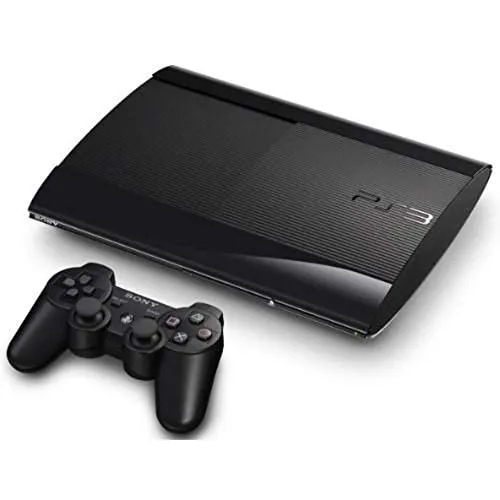
Comprehensive Guide to Buying a Used Gaming Console In the gaming world, buying a used console can be an excellent way to enjoy your favorite games without breaking the bank. In this guide, we will cover essential tips and knowledge for purchasing a pre-owned gaming console, including what to look for during inspection, questions to ask, and common pitfalls to avoid. Understanding the Benefits of Buying Used Before delving into the specifics of buying a used console, it's crucial to understand the potential benefits: - Cost Efficiency : Used consoles are often significantly cheaper than new ones. - Budget-Friendly Games : Many older games get price reductions and can be found for a fraction of their original cost. - Collectiveness : For some, older consoles can hold nostalgic value, making the search more about collecting than just gameplay. What to Look For When inspecting a used gaming console, several key aspects should be on your checklist: 1. Physical Condition - Exterior Scratches and Dents : Inspect the casing for any signs of wear or damage. While minor scratches may be normal, deep dents could indicate poor treatment. - Controller Condition : Check the controllers for stick drift, sticky buttons, and other wear signs. A well-functioning controller is essential for a great gaming experience. 2. Functionality Check - Power On Test : Ensure the console powers on without issues. Observe the startup process and make sure it operates smoothly. - AV Output : Test the video output by connecting the console to a TV. Look for any visual glitches or issues during gameplay. - Disc Drive : If applicable, test the disc drive by inserting a game disc. Ensure it reads the disc promptly and without errors. 3. Accessories and Cables - Included Accessories : Verify which accessories are included, such as extra controllers, charging cables, or power adapters. - Cables : Ensure that the necessary AV cables are included and look for any signs of wear. Missing cables can add extra costs to your purchase. Questions to Ask the Seller To gain deeper insight into the used console's history, consider asking the following questions: 1. Age and Usage - How old is the console? - How often has it been used? 2. Repair History - Has the console ever been repaired or refurbished? - Are there any known issues or faults? 3. Original Packaging and Documentation - Does the console come with the original box and manuals? - Is there any warranty or return policy offered by the seller? Common Pitfalls to Avoid While buying a used console can be a rewarding experience, there are certain pitfalls you'll want to steer clear of: 1. No Warranty or Return Policy Be cautious if a seller does not offer a warranty or return option. A lack of guarantee increases the risk of acquiring a defective product. 2. Incomplete Information Avoid sellers who are unwilling to provide complete information about the console or answer your questions. Transparency is crucial when making a purchase. 3. Overpriced Listings Conduct market research to determine the fair market price of the console. Be wary of listings that are significantly higher than average. Tips for a Successful Purchase To ensure a seamless experience while purchasing a used console, implement the following tips: 1. Research the Console Familiarize yourself with the specific console’s features, specifications, and any common issues that users experience. This knowledge can aid you in assessing the condition and value of the console. 2. Buy from Reputable Sources If possible, purchase from established retailers or marketplaces that offer protection, such as customer reviews and buyer guarantees. 3. Test it Before Buying Whenever possible, test the console in person before completing the purchase. This step will help you verify its condition and functionality. 4. Keep Negotiation in Mind Don’t hesitate to negotiate the price if you discover any issues or if the console is not in perfect condition. Sellers often expect some level of bargaining, and it could save you additional money. Conclusion Buying a used gaming console can provide an enjoyable and affordable gaming experience, but performing your due diligence is essential. By understanding what to look for, asking the right questions, and being aware of common pitfalls, you can make a smart purchase. With a bit of patience and research, you can find a reliable, pre-owned console that will bring you joy for countless gaming sessions ahead.

Bleecker Bar Party Bucket

Made of stainless steel. Features an antiqued gold or blackened bronze finish. Made in a Fair Trade Certified(TM) factory; supporting fair and safe labor practices and empowering workers to invest in their communities. Workers receive extra funds for every product sold which are used for community projects chosen by workers. Imported. Hand wash only. Overall: 18" wide x 16" deep x 8" high Capacity: 4.75 gallons

Bleecker Bar Coasters, Set of 4

Made of electroplated stainless steel with an antiqued gold finish. Made in a Fair Trade Certified(TM) factory; supporting fair and safe labor practices and empowering workers to invest in their communities. Workers receive extra funds for every product sold which are used for community projects chosen by workers. Imported. Set of 4. Hand wash only. Overall: 4.75" diameter; 0.5" thick